
How To Use Car Wireless Charger: Easy Setup Guide
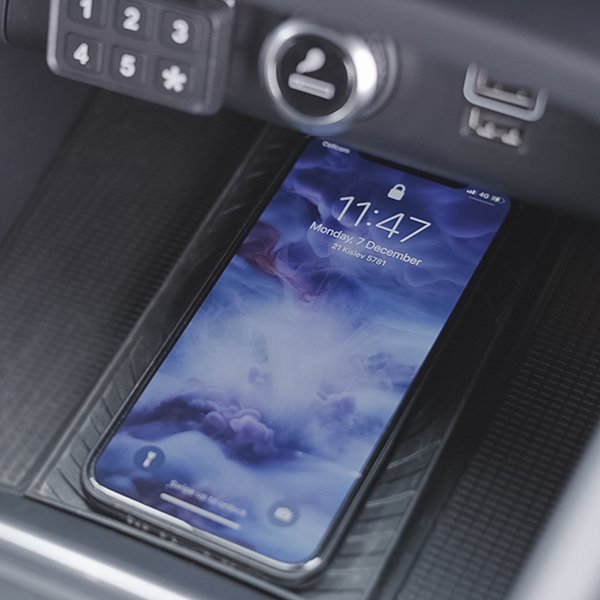
Place your phone on the charging pad, align it with the coil, and connect the charger to power.
Learning how to use a car wireless charger is simple, but small details affect charging speed, phone safety, and daily comfort. This guide explains the setup, correct phone placement, common problems, safety tips, and practical habits that help a wireless charger work well on every drive.
What Is a Car Wireless Charger?
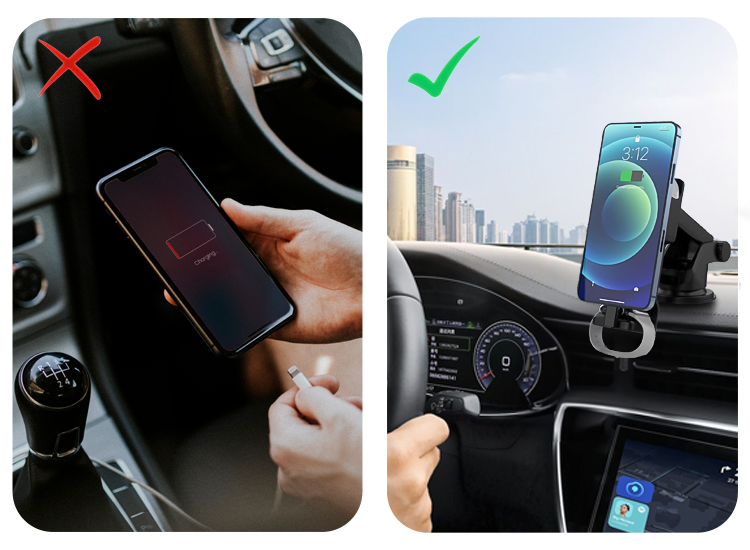
A car wireless charger is a charging pad or mount that sends power to a compatible phone without a cable. It uses a technology called Qi, which transfers energy through electromagnetic coils.
Most car wireless chargers connect to your vehicle through one of these power sources:
• 12-volt outlet, also called a cigarette lighter socket
• USB-A port
• USB-C port
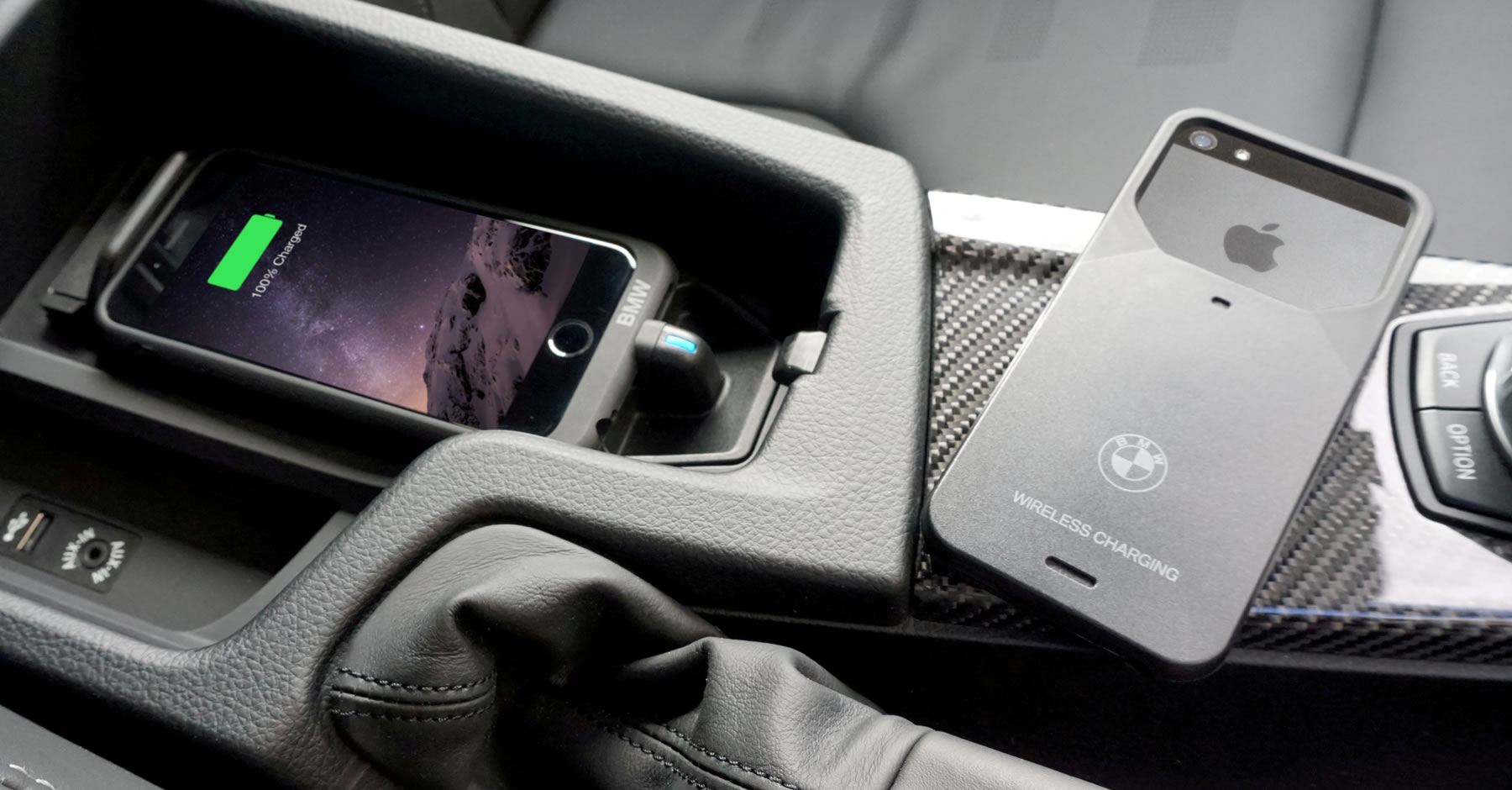
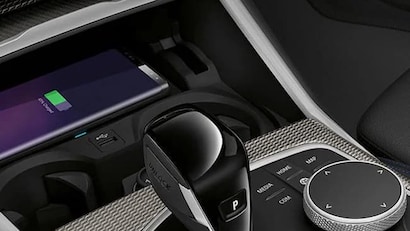
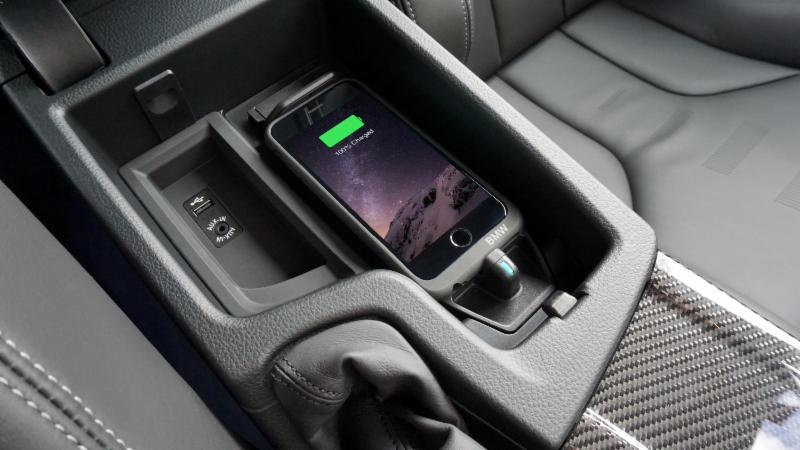
• Built-in wireless charging tray
A wireless charging mount may also hold your phone near the dashboard or air vent. Some models use magnets, spring arms, or a clamp to keep the phone in place.
When learning how to use a car wireless charger, remember that the charger does not create power by itself. It must receive enough power from the car’s outlet or USB port before it can charge your phone.
Check Compatibility Before You Start
The first step in how to use a car wireless charger is checking whether your phone supports wireless charging. Most modern iPhones and many Android phones use the Qi standard.
Look for wireless charging support in:
• Your phone’s user manual
• The phone maker’s official specifications
• The settings or support app on your phone
• The charger’s product compatibility list
Some newer chargers support Qi2. Qi2 improves magnetic alignment on compatible devices and can make charging more stable. However, a Qi2 charger may not provide all its features to a phone that supports only older Qi charging.
You may also need a special case. Thick cases, metal plates, wallets, pop sockets, and magnetic rings can block the charging signal. A slim plastic or silicone case usually works better.
If your phone does not support wireless charging, you can use a wireless charging receiver. This thin accessory plugs into the phone’s charging port and sits beneath the case. It is useful, but it may charge more slowly and can make the case fit poorly.

How to Use a Car Wireless Charger Step by Step
Follow these steps to set up most car wireless charging pads and mounts.
1. Choose a safe location
Place the charger where you can reach it without taking your eyes off the road for long. A dashboard, center console, or vent mount can work well.
Do not place it where it blocks:
• Your view through the windshield
• Airbag panels
• The instrument cluster
• Climate controls
• Gear controls
A good location lets you see navigation directions while keeping the phone secure.
2. Connect the power cable
Plug the charger into the car’s 12-volt outlet or USB port. Use the cable supplied with the charger when possible.
Some fast wireless chargers need a USB-C power adapter with enough output. An old USB port may turn the charger on but fail to provide fast charging.
Many chargers have a small light or sound that confirms the power connection. If nothing happens, check the outlet with another device.
3. Mount or place the charger
Secure the charger firmly before driving. A loose mount can cause the phone to slide away from the charging coil.
For a vent mount, make sure the clip grips the vent without bending or damaging the slats. For a suction mount, clean and dry the surface first.
4. Remove anything that blocks charging
Take off thick cases, wallets, credit cards, coins, and metal plates. Metal objects can interfere with wireless charging and may become warm.
Magnetic accessories can also affect alignment. If the charger uses magnets, use a compatible case or magnetic ring designed for wireless charging.
5. Align the phone with the charging coil
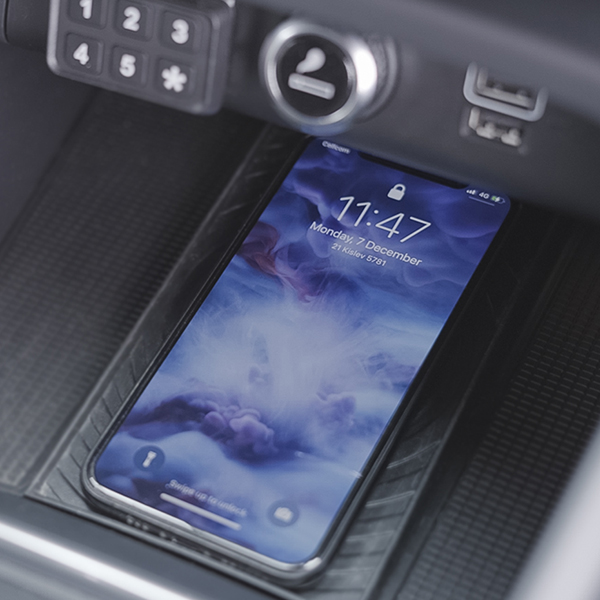
Place the center of the phone over the center of the charging pad. On a charging mount, adjust the arms or magnetic position until the phone sits flat and stable.
A charging symbol, vibration, light, or sound should appear within a few seconds. If the phone does not respond, move it slightly until the coils line up.
6. Confirm that charging continues
Check the phone’s screen or battery icon before driving away. Some phones display a wireless charging message.
Do not assume that a light on the charger means the phone is charging. The light may only show that the charger has power.
This step-by-step method is the safest answer to how to use a car wireless charger because it checks power, alignment, compatibility, and stability in the right order.
How to Position Your Phone Correctly
Correct alignment is the key to reliable wireless charging. Inside the charger and phone are small copper coils. They must sit close together, almost like two puzzle pieces.
If the phone is too high, too low, or off to one side, charging may stop. This is common when using a large case or a mount with weak support.
Try these practical tips:
• Place the phone screen facing outward on a charging mount.
• Center the phone from left to right.
• Keep the phone flat against the charging surface.
• Use the charger’s adjustable arms to hold the phone in place.
• Test the position while parked before driving.
In everyday use, the best position is not always the most visually attractive one. A mount that holds the phone securely and keeps it centered is more useful than a stylish mount that lets the phone move.
If the charger starts and stops while driving, road bumps may be breaking the connection. Tighten the mount, remove the thick case, or choose a model with stronger side grips.
How to Get Faster Wireless Charging
Wireless charging is convenient, but it can be slower than a direct cable. Charging speed depends on the phone, charger, cable, power adapter, temperature, and software.
To improve charging performance:
• Use a charger made for your phone’s supported wireless standard.
• Use a strong USB-C car adapter when the charger requires one.
• Keep the phone and charging pad clean.
• Remove thick cases during long trips.
• Avoid running demanding games while charging.
• Keep the phone out of direct sunlight.
• Use a cable that supports the charger’s required power.
Navigation, streaming, mobile data, and hot weather can make a phone warm. When a phone gets too hot, its software may reduce or pause charging to protect the battery.
This is normal. A wireless charger is best viewed as a steady power source that helps maintain your battery during travel. It may not refill a nearly empty phone as quickly as a high-power wired charger.
Using a Wireless Charger With Navigation
Many people use a car wireless charger with Apple Maps, Google Maps, or another navigation app. This is one of the most useful setups because navigation can drain a battery quickly.
Place the charger where the screen is easy to see but does not block your view. Set your route before moving, and use voice guidance whenever possible.
Avoid touching the phone while driving. If you need to change the route, pull over safely or ask a passenger for help.
A good setup has three parts:
• A stable phone mount
• A clear view of the navigation screen
• A power connection that does not disconnect over bumps
This combination makes learning how to use a car wireless charger especially valuable for road trips, delivery work, commuting, and rideshare driving.

Common Problems and Simple Fixes
Even a good charger may fail when one part of the setup is wrong. Use this checklist before replacing the charger.
The phone does not charge
Check that the phone supports wireless charging. Then confirm that the cable is connected, the car outlet is active, and the phone is centered on the pad.
Remove the case and test again. If the phone charges without the case, the case is blocking the signal.
Charging starts and stops
This often means the phone is moving or the coils are not aligned. Secure the mount and adjust the phone’s position.
A weak power adapter can also cause interruptions. Try a better adapter that matches the charger’s required output.
The phone gets hot
Some warmth is normal, especially during navigation. Excessive heat may come from direct sunlight, a thick case, poor ventilation, or heavy app use.
Move the phone away from sunlight, remove the case, and stop demanding apps. If the phone shows a temperature warning, unplug it and let it cool.
The charger works with one phone but not another
Different phones support different charging speeds and standards. One phone may also use a case or accessory that blocks charging.
Test both phones without cases and check their wireless charging specifications.
The charger light turns on, but the phone stays at the same battery level
The charger may have power but not enough output for useful charging. The phone may also be using power as quickly as it receives it.
Close unnecessary apps, use a stronger adapter, and check the cable. This is a common lesson in how to use a car wireless charger: power at the charger does not always mean power reaching the phone.
Safety Tips for Wireless Charging in a Car
Wireless charging is generally safe when you use a certified charger and follow the instructions. Still, car interiors can become very hot, and heat is the main concern.
Use these safety habits:
• Do not place coins, keys, or metal objects on the charging pad.
• Keep the charger away from airbags and steering controls.
• Do not use a damaged cable or loose adapter.
• Stop using the charger if it smells burnt or becomes unusually hot.
• Do not leave a phone charging in a hot, unattended car for long periods.
• Keep the charger firmly attached while driving.
• Follow the phone and charger manufacturer’s instructions.
Wireless charging may also affect some magnetic cards or access cards if they sit between the phone and charger. Remove cards from a wallet case before charging.
Certified products are usually a better choice than very cheap models with unclear safety information. Look for clear specifications, overheat protection, foreign object detection, and short-circuit protection.

Benefits and Limitations of a Car Wireless Charger
A wireless charger can make daily driving easier, but it is not perfect for every situation.
Main benefits
• No need to plug in a cable every time you enter the car.
• The phone stays visible for navigation.
• The setup reduces cable clutter.
• A charging mount can keep the phone within reach.
• It works well for short trips and daily commutes.
Main limitations
• Wireless charging is often slower than wired charging.
• Heat can reduce charging speed.
• Thick cases may block the signal.
• The phone must stay correctly aligned.
• Some chargers need a separate high-power adapter.
• A loose mount may disconnect during bumps.
Understanding these limits helps you choose the right tool. Wireless charging is like filling a cup from a steady tap. It is convenient for maintaining the battery, but a cable may fill an empty battery faster.
How to Choose the Right Car Wireless Charger
When buying a car wireless charger, focus on function rather than appearance. The best model is the one that fits your phone, car, driving habits, and preferred mounting position.
Consider these features:
• Qi or Qi2 compatibility
• Phone size and case compatibility
• USB-C input
• Included power adapter
• Adjustable viewing angle
• Strong grip or magnetic attachment
• Overheat and overcurrent protection
• Automatic clamping, if preferred
• Easy one-hand phone removal
• Compatibility with your car’s vent, dash, or console
A vent mount may be easy to install, but it can reduce airflow from the vent. A dashboard mount may offer a better view, but it needs a clean, smooth surface. A console pad is less distracting, but it may be harder to see while using navigation.
Read the charger’s power requirements before buying. A charger advertised as fast may need a separate adapter to reach its full speed.
Practical Lessons From Real-World Use
One common mistake is buying a fast charger and plugging it into an old, low-power USB port. The charger may look advanced, but the power source becomes the weak link.
Another mistake is testing the setup only while parked. A phone can charge perfectly in the driveway and lose connection on the road because of vibration. Always test the mount over a normal drive before trusting it on a long trip.
It also helps to clean the charging surface from time to time. Dust and small bits of grit can keep the phone from sitting flat. A soft, dry cloth is usually enough.
A final practical lesson is to keep a backup cable in the car. Wireless charging is convenient, but a cable remains useful when the phone case blocks charging, the battery is nearly empty, or the charger stops working.
How to Maintain Your Car Wireless Charger
Regular care can extend the life of the charger and mount.
• Wipe dust from the charging pad with a soft cloth.
• Check the cable for cuts, bends, or exposed wires.
• Tighten loose mount joints.
• Clean suction surfaces before reinstalling them.
• Keep the charger away from direct heat when possible.
• Store the charger safely if you remove it from the car.
Do not pull the cable sharply from the charger or car outlet. Repeated strain can damage the connector and create charging problems.
If the charger becomes hot even when no phone is present, unplug it and inspect the cable and adapter. Continued heat is not something to ignore.
Frequently Asked Questions About How to Use a Car Wireless Charger
How do I use a car wireless charger for the first time?
Connect the charger to a compatible car power outlet, place it securely, and put your phone at the center of the charging pad. Confirm that the battery icon shows wireless charging before you start driving.
Does my phone case need to come off?
A thin case usually works, but thick cases, metal plates, wallets, and some magnetic accessories can block charging. Remove the case if charging is slow, stops often, or does not start.
Why is my car wireless charger not charging my phone?
Check phone compatibility, cable connections, power output, and phone alignment. Also remove objects between the phone and charger, since metal items and thick accessories can interrupt the charging signal.
Can I use a car wireless charger while using GPS?
Yes. Wireless charging is useful while using navigation because GPS and mobile data can drain the battery. Keep the phone mounted safely and avoid touching it while driving.
Is it safe to leave my phone on a wireless charger during a drive?
Yes, if the charger is in good condition and has suitable safety features. Remove the phone if it becomes very hot, shows a temperature warning, or sits in direct sunlight.
Is wireless charging slower than a charging cable?
It can be. Wireless charging may lose some energy as heat and often has a lower maximum speed than a wired connection, especially when the phone is warm or the power adapter is weak.
Can a car wireless charger drain the car battery?
A charger uses a small amount of power, but the effect depends on whether the car outlet stays active when the engine is off. Unplug the charger when parked for long periods if your outlet remains powered.
Conclusion
Using a car wireless charger takes only a few steps: confirm compatibility, connect the right power source, remove blocking accessories, center the phone, and check that charging has started. A secure mount, good airflow, and a suitable adapter will improve both safety and charging performance.
Treat the charger as a convenient way to maintain your phone during travel, not always as the fastest way to refill a nearly empty battery. Test your setup while parked, keep a cable as backup, and choose a certified model that fits your phone and car. Explore more charging guides, compare compatible accessories, and share your own tips in the comments.