
How Can I Track My Car On My Phone: Easy GPS Guide
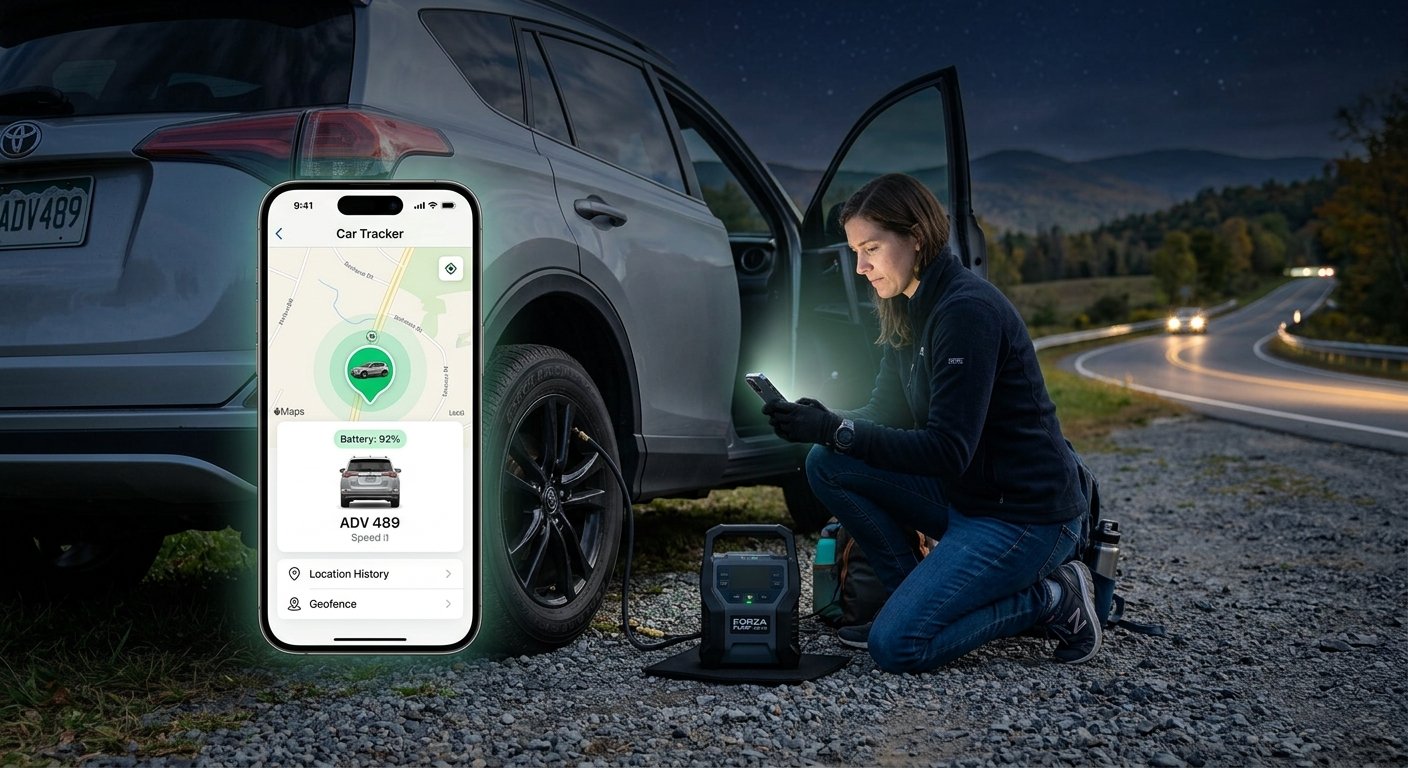
You can track your car on your phone with a GPS tracker, a built-in app, or your vehicle’s connected services.
Knowing how can I track my car on my phone can make daily driving feel safer and less stressful. Modern cars and small GPS devices can show a vehicle’s location, trip history, speed, and parking spot in an easy mobile app. The best option depends on your car, budget, privacy needs, and whether you need live tracking or simple location help.
The main ways to track your car on your phone
There are four common ways to track a car with a phone. Each method works a little differently, so choosing the right one starts with understanding what your vehicle already supports.
1. Use your car manufacturer’s mobile app
Many newer vehicles include connected services. Brands such as Ford, Chevrolet, Toyota, Hyundai, Kia, BMW, Mercedes-Benz, Tesla, and others may offer an official app.
Depending on the model, the app may show:
• The car’s current or last known location
• A parked-car location
• Fuel or battery level
• Vehicle health reports
• Lock and unlock controls
• Trip history
• Maintenance alerts
• Remote start
You usually need to create an account, add the vehicle identification number, and activate a connected-service plan. Some services are free for a trial period, while others require a monthly or yearly fee.
2. Install a dedicated GPS car tracker
A GPS tracker is a small device that sends location data to an app. Many plug into the vehicle’s OBD-II port, which is often under the dashboard near the steering wheel. Other models connect to the car battery or use their own rechargeable battery.
A dedicated tracker may provide:
• Real-time location updates
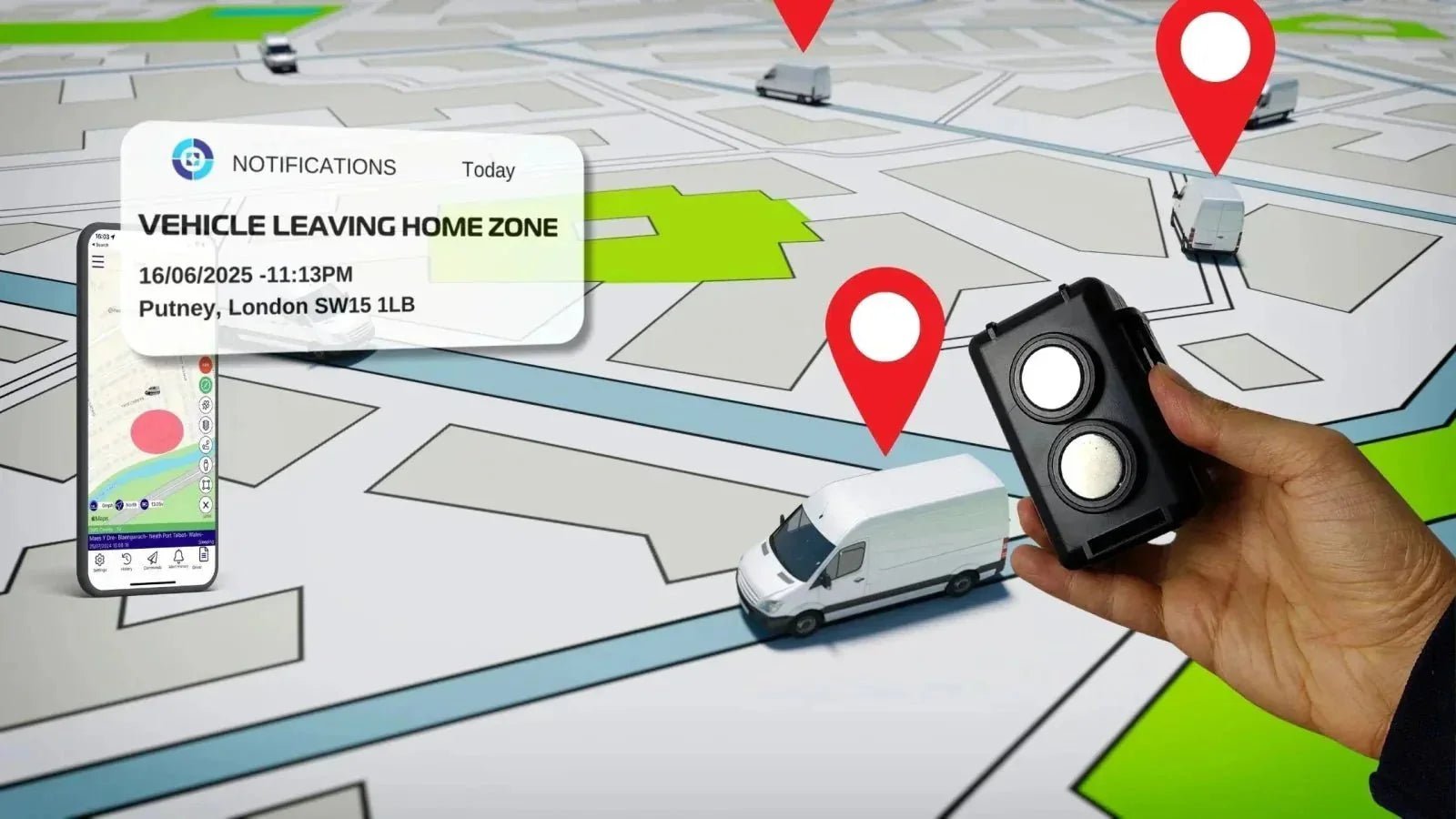
• Geofence alerts
• Speed notifications
• Ignition alerts
• Tow detection
• Route history
• Low-battery warnings
Most live GPS trackers need a cellular connection. That means you may pay for a monthly data plan, just as you would for a phone line.
3. Use a Bluetooth item tracker
Bluetooth trackers, such as AirTag-style devices and other item finders, can help you locate a parked car. They are small, affordable, and easy to hide in a glove box or center console.
However, they are not the same as a GPS tracker. A Bluetooth tracker usually does not provide continuous live location data. It relies on nearby phones in its network and works best for finding a parked vehicle, not monitoring every mile.
4. Use your phone’s parking location feature
If you only forget where you parked, your phone may already solve the problem. Apple Maps, Google Maps, and some Android phones can save your parking location.
This method does not track the car after it leaves. It simply marks where your phone believes you parked, which is useful at airports, stadiums, malls, and large city garages.

How to track your car with a GPS device
A GPS device is the most complete answer for people asking how can I track my car on my phone. It can provide more frequent updates than a Bluetooth tag and often includes useful safety alerts.
Follow these steps:
- Choose a tracker that works on a reliable cellular network in your area.
- Check whether the device uses an OBD-II port, battery connection, or internal battery.
- Download the tracker’s official app from the Apple App Store or Google Play.
- Create an account and activate the device.
- Follow the setup guide to pair the tracker with your phone.
- Place or install the tracker in a secure location.
- Test the device outdoors, where it can receive GPS signals.
- Set alerts for movement, speed, towing, or leaving a chosen area.
An OBD-II tracker is usually the simplest option because it needs little installation. The tradeoff is visibility. Someone can unplug it if they know where to look.
A hardwired tracker is more discreet and can remain active even when the vehicle is parked. Installation is more complex, though, so professional installation may be wise if the device connects to the car’s electrical system.
GPS accuracy and update speed
GPS trackers are not perfectly accurate. Buildings, parking garages, tall trees, weather, and weak cellular coverage can affect the result. In open areas, the location may be accurate within several yards, but indoor accuracy can be much worse.
Update speed also varies. Some trackers refresh every few seconds, while others update every few minutes to save battery and data. Read the product details carefully before buying. “Real-time” may mean frequent updates, not an uninterrupted live video-like view.
How to use your car’s built-in tracking app
If your car supports connected services, the official app is often the cleanest way to track it. It does not require an extra device, and it may connect with systems already installed in the vehicle.
Start by checking your owner’s manual or the manufacturer’s website. Look for terms such as:
• Connected services
• Vehicle locate
• Remote access
• Digital key
• Car finder
• Safety and security services
Then download the official app. Avoid unofficial apps that ask for your vehicle login details. A legitimate app should come from the vehicle manufacturer or its authorized service provider.
After signing in, complete the vehicle verification process. You may need the VIN, an activation code, proof of ownership, or a visit to a dealership. Once activated, open the app and select the vehicle-locator feature.
Some apps show the last reported position instead of a live position. This can happen when the car has weak cellular coverage, is underground, or has entered a low-power mode.
What to do when the vehicle location is wrong
If the app displays an old or incorrect location, try these steps:
• Move the car to an open area
• Turn the ignition on and off
• Confirm that connected services are active
• Check the phone’s internet connection
• Update the vehicle app
• Sign out and sign in again
• Wait several minutes for a new signal
• Contact the manufacturer’s support team
A displayed location is only as current as the last successful communication between the car and the service.

How to find your parked car with your phone
You do not need a paid GPS service to find a car parked nearby. Your phone can often save the location automatically or let you mark it manually.
On an iPhone
Apple Maps may save your parked-car location when the iPhone disconnects from the vehicle’s Bluetooth or CarPlay connection. This feature depends on location services and the setting that allows Maps to show the parked location.
To find it:
- Open Apple Maps.
- Search for “Parked Car.”
- Tap the result to receive walking directions.
You can also drop a pin manually before leaving the vehicle. This is helpful if your phone does not detect the car automatically.
On an Android phone
Google Maps can save your parking location. After parking:
- Open Google Maps.
- Tap the blue dot showing your location.
- Select “Save parking.”
- Add notes or a photo if useful.
To return, open Google Maps and select the saved parking marker. The phone may show walking directions back to the car.
Parking tools are helpful, but they are not theft-recovery systems. They tell you where the phone saved the location. They do not continuously report where the vehicle travels.

How to choose the best car tracker
The best answer to how can I track my car on my phone depends on your goal. A parent monitoring a new driver may need alerts and trip history. A driver who only loses a car in parking lots may need a simple Bluetooth tracker.
Consider these factors before buying:
Tracking purpose
Decide whether you need:
• Parking location only
• Theft recovery
• Live location updates
• Teen driver monitoring
• Fleet or business tracking
• Road trip records
• Tow and movement alerts
A basic item tracker may be enough for parking. A GPS tracker is more suitable for theft alerts and ongoing monitoring.
Cellular coverage
A GPS tracker needs a cellular network to send information to your phone. Check coverage where you drive and park most often. A tracker with poor coverage may show delayed updates or no location at all.
Monthly cost
Compare the total cost, not just the device price. Common expenses include:
• Device purchase
• Cellular subscription
• Activation fee
• App fee
• Installation
• Replacement battery
A low-cost device with an expensive subscription may cost more over time than a higher-priced tracker with a modest monthly plan.
Battery life
Battery-powered trackers need regular charging. OBD-II trackers draw power from the vehicle, but some cars continue powering the port after the engine is off. This may slowly drain the car battery if the tracker is not designed for that use.
Hardwired devices often provide steady power, but installation should be done carefully. Incorrect wiring can cause electrical problems or interfere with safety systems.
Privacy and security
Choose a provider that uses account protection, secure login, and clear data policies. Enable two-factor authentication when available. Use a strong, unique password for the tracking account.
Do not place a tracker on another person’s vehicle without permission. Laws differ by state, and secret tracking may violate privacy, stalking, or domestic-violence laws. Tracking your own vehicle, or a company vehicle under a clear written policy, is a different situation, but legal advice may still be useful.

Common problems with phone-based car tracking
Even a good tracking system has limits. Understanding them helps prevent false alarms and poor decisions during a stressful event.
The tracker shows the last known location
This usually means the device cannot connect to GPS or cellular service. The car may be underground, inside a metal structure, in a rural area, or in a location with weak network coverage.
The app says the car is offline
Check the tracker’s power, subscription, cellular coverage, and app status. If the car has not moved for a long time, some devices enter sleep mode to protect the battery.
The location jumps around
Location drift can happen when GPS signals bounce off buildings or other surfaces. This is common in cities and indoor garages. Review several updates instead of trusting one isolated point.
The car battery is draining
An always-powered tracker may draw current while the vehicle is parked. Ask the manufacturer about low-power settings, battery protection, or professional installation.
Alerts arrive late
A tracker may delay alerts to reduce data use or protect battery life. Cellular congestion and poor coverage can also add delay. For serious theft concerns, contact law enforcement rather than relying only on the app.
The National Highway Traffic Safety Administration recommends taking theft prevention seriously, but a tracker should support—not replace—basic steps such as locking the vehicle, keeping keys secure, and parking in well-lit areas.

How to protect your tracking account
Your car’s location is sensitive data. Anyone who enters your account may learn where you live, work, shop, or travel.
Use these safety steps:
• Create a long, unique password
• Turn on two-factor authentication
• Keep the tracking app updated
• Do not share login details by text
• Remove former drivers from the account
• Review connected users and trusted devices
• Change the password after selling the vehicle
• Avoid logging in on public or shared devices
If you buy a used car, ask the seller to remove the vehicle from their app account. Also perform a factory reset on connected infotainment systems. This can reduce the risk of a previous owner retaining access.
If you suspect someone is tracking you without permission, do not confront the person if doing so could create danger. Contact a trusted person, local authorities, or a domestic violence support service for safe guidance.
Practical setup tips that prevent mistakes
A few small steps can make phone-based car tracking much more reliable.
First, test the system before you need it. Drive around the block, park in a different area, and confirm that location updates and alerts arrive correctly.
Second, label the vehicle clearly in the app if you manage more than one car. Confusing a family SUV with a work truck is an easy mistake when both appear in the same account.
Third, save the customer support number and device details. Keep the tracker’s serial number, account email, and subscription information somewhere safe.
Fourth, check the system every few months. Confirm that the subscription is active, the app is updated, and the tracker still has power.
In hands-on setup work, one lesson comes up again and again: people often test the map but forget to test the alerts. A tracker that shows a location but never sends a movement warning may not meet your real needs.

How can I track my car on my phone without installing a device?
You can use the vehicle manufacturer’s app if your car includes connected services. You can also save the parked location with Apple Maps or Google Maps, but that only helps you find where you parked and does not provide continuous tracking.
How can I track my car on my phone if it is stolen?
Use the vehicle app or GPS tracker to view the latest location, then contact law enforcement immediately. Do not attempt to recover the vehicle yourself, even if the map shows a nearby address.
Can I track my car with an AirTag or Bluetooth tracker?
Yes, a Bluetooth tracker can help you find a parked car or locate it through a nearby device network. It usually cannot provide continuous live tracking and may notify nearby users that an unknown tracker is traveling with them.
Does a car GPS tracker need a monthly fee?
Most live GPS trackers need a cellular subscription, so they usually have a monthly or yearly fee. Built-in vehicle services may include a free trial, while simple Bluetooth trackers often do not require a recurring fee.
How accurate is phone-based car tracking?
Accuracy varies with the tracker, GPS signal, cellular coverage, buildings, and weather. Outdoor tracking can be fairly precise, but indoor garages and dense city areas may produce delayed or slightly incorrect locations.
Can someone track my car without my permission?
Unauthorized vehicle tracking may violate privacy or stalking laws, depending on the situation and location. If you find an unknown device or suspect account access, document what you find and seek help from law enforcement or a qualified legal professional.
Will a GPS tracker drain my car battery?
Some powered trackers can drain a battery if the vehicle sits unused for a long time. Choose a device with a low-power mode, monitor battery voltage when possible, and follow the manufacturer’s installation guidance.
Does car tracking work when the vehicle has no internet?
A tracker may still receive GPS signals without internet, but it usually cannot send the location to your phone until it reconnects to a cellular network. The app may show the last stored position instead.
Conclusion
The simplest way to understand how can I track my car on my phone is to match the tool to your goal. Use a built-in manufacturer app for convenient vehicle access, a GPS tracker for live updates and alerts, a Bluetooth tracker for basic recovery, or a phone map feature for finding a parked car.
Check coverage, fees, battery needs, accuracy, privacy controls, and legal requirements before you choose. Set up the system, test both location updates and alerts, and protect the account with a strong password and two-factor authentication. Explore the options available for your vehicle, then choose the method that gives you useful information without creating unnecessary cost or privacy risk.